
|
Founder |
Arjan Bakker |
|
Founded |
1999 |
|
Headquarters |
Poznan, Poland |
|
Active markets |
All EU countries, except for Cyprus and Malta* |
|
Number of monthly visitors |
Circa 22 million |
|
Website |
Allegro |
|
Setup cost |
none |
|
Commission |
a percentage based on the product category |
|
Other costs |
a listing fee applies to some categories |
|
Payment |
EEA sellers: twice a month, on the 1st and 14th of each month |
|
Product categories |
Electronics, fashion, home and garden, children, beauty, health, sports, tourism, moto, office, etc. |
|
Input language (title + description) |
Polish |
|
Input currency |
PLN |
|
Content creation |
Yes |
Main Markets and Target Audience:
- Allegro is primarily active in all EU countries, excluding Cyprus and Malta.
- The platform is focused mostly on Poland, with most of its communication and information being in Polish.
- It attracts approximately 22 million monthly visitors.
This suggests that Allegro’s primary target audience is within the European Union, with a strong focus on the Polish market. This is important for businesses considering Allegro as a platform for e-commerce, as it provides insights into the geographical and linguistic aspects of the marketplace.
Account Opening
Required Information and Documents:
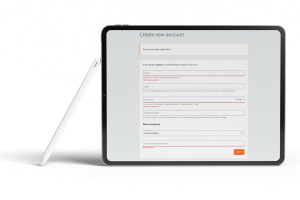
- Full registration of the Business Account will give you access to all services and functionalities on Allegro.
- If you are an entrepreneur, prepare your company NIP (Tax Identification Number) and proceed directly to the registration form (Sections 2.3 and 2.5).
- You can register more than one Business Account, but each must have a different email address (Section 2.9).
- As soon as you confirm the Business Account registration, you automatically conclude an agreement with Allegro (Section 2.5).
- You have 14 days to withdraw from the agreement, of course. Instructions on how to do this and a withdrawal form are available in Appendix 8 to the Terms & Conditions (Section 2.13).
- You should convert a Regular Account into a Business Account if you want to sell on Allegro as part of your business activity. You can convert your Account provided that in the last 2 years you listed nothing for sale in your Regular Account (Section 2.4, 2.11c).
Account Activation
- Once you have registered your Business Account, you need to activate it with a payment made to the Allegro account. You can do this in two ways:
- Quick online payment
- Standard/postal transfer
- The payment of 1 PLN will be returned to your Business Account (Section 2.6).
- If this is your first Business Account, once you have activated it, you can take advantage of the Welcome Package found in the Discount Center.
Subscription Plans
- For easier management of your sales, you can activate one of three available Subscriptions:
- Basic subscription
- Professional subscription
- Expert subscription (Section 1)
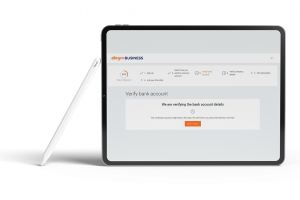
These documents are necessary for the account verification process on Allegro. You can create new account from here.
Supported Types of Companies:
Account Approval Process and Duration:
- Warnings/Notes
- Common Errors and Solutions
- IP Address and Other Technical Issues
- Security Tips and Fraud Prevention Measures
Marketplace Costs
Account Opening Fees:
- Allegro, did not charge an opening fee for creating a seller account. However, please note that platform policies and fee structures can change over time, and I do not have access to real-time information. To get the most up-to-date and accurate information about any potential opening fees on Allegro, I recommend visiting the official Allegro website or contacting their customer support directly.
Commission Rates and Other Expenses:
- To find detailed information about commission rates on Allegro, you can visit the official Allegro website and access the commission rates document. Follow these steps:
- Go to the Allegro website: Allegro Official Website
- Scroll to the bottom of the page and look for the ‘Regulamin’ link. Click on it.
- In the ‘Załączniki’ (Attachments) section, locate and click on ‘Załącznik nr 4 – Taryfy prowizji’ (Attachment No. 4 – Commission Tariffs).
- This document will provide you with comprehensive details about the commission rates applicable on Allegro for various categories and services.
- By following these steps, you can access the most up-to-date information regarding commission rates on Allegro. Make sure to review this document to understand the fees associated with selling on the platform
Logistics
Marketplaces own logistic system
Requirements for Using Ship with Allegro:
- To use the “Ship with Allegro” service, you need to meet the following essential requirements:
- Having a Business Account: You must have a business account on Allegro to use the “Ship with Allegro” service. It is not available for individual accounts.
- Active VAT Payer in Poland: To be eligible for this service, you need to be a registered and active VAT payer in Poland. This means that your business should be registered for VAT (Value Added Tax) in Poland.
- Inclusion in the White List of VAT Payers: In addition to being a VAT payer, you must also be included in the White List of VAT payers in Poland. The White List is an official list of registered VAT payers, and your inclusion in this list is necessary.
Once you meet these requirements, you can apply to use the “Ship with Allegro” service. Allegro will review your application and verify whether you meet the other conditions for service participation. Upon approval, you can start using “Ship with Allegro.”
Partnered Logistics Companies:
Ship with Allegro — Dispatch Parcels Directly from Your Account
“Ship with Allegro” is a free tool that allows you to dispatch parcels directly from your Allegro account or through API integration with external systems like Baselinker or Sello.
- Key features:
- Use services of different carriers, including those settled through Allegro and your own agreements.
- Dispatch multiple parcels for multiple orders simultaneously.
- Generate and print shipping labels.
- Schedule parcel pick-up by a courier from your specified address.
- To use “Ship with Allegro,” you need a business account on Allegro.
How to Access Ship with Allegro
- Open the Orders tab on Allegro.
- Click “[dispatch parcel]” next to the selected order.
- You will be redirected to a dispatch form pre-filled with the buyer’s parcel data.
Delivery Options with and Without Agreements
- You can use “Ship with Allegro” without carrier agreements, and Allegro will handle the delivery options for you. Shipping costs will be added to your Allegro settlements.
- You can also add your own carrier agreements for more options.
Delivery Options Available Without an Agreement
- A list of delivery options available on allegro.pl and allegro.cz without the need for a separate carrier agreement is provided.
Additional Information
- Certain carriers and delivery options are available for both allegro.pl and allegro.cz.
- Some delivery options offer same-day or next-day delivery.
- You can dispatch parcels with payment on delivery using these options.
For detailed information, including how to add your own agreement to “Ship with Allegro” or how to file a complaint about a dispatched parcel, please refer to the Allegro article.
Please note that specific details and options may change, so it’s advisable to refer to the official Allegro website for the most up-to-date information.
Warehouse Management
Local Warehouse Usage and Benefits:
- One Fulfillment by Allegro:
How to Start Using One Fulfillment by Allegro
- To use One Fulfillment, you need to register a One Fulfillment account.
- You don’t need to have any prior Allegro account; the One Fulfillment account can be your only Allegro account.
Requirements to Meet
- To create a One Fulfillment account, you need to meet the following requirements:
- Be a registered and active VAT payer in Poland.
- Have the Polish Tax Identification Number (VAT PL) included in the White List of VAT payers.
Why These Requirements are Necessary
- Meeting these requirements helps Allegro ensure that your business:
- Is registered for taxation in Poland.
- Operates in compliance with tax regulations.
- Can be contacted by tax authorities if needed.
- Helps prevent fraud and maintain compliance.
Creating a One Fulfillment Account
- You can create a One Fulfillment account in three different ways, depending on your current status on Allegro:
- Based on an existing business account (if it meets specific requirements).
- Creating a new business account that will be turned into a One Fulfillment account (if you have a business account but don’t meet specific requirements).
- Creating a One Fulfillment account based on the data provided in the application form (if you don’t have an Allegro account or don’t meet the criteria to create one based on it).
When You Can Create a One Fulfillment Account Based on a Business Account
- To create a One Fulfillment account based on a business account, your business account should meet certain criteria, including:
- Not being blocked.
- Having active sales and payouts from Allegro Finance.
- Specifying Poland as the country of registration.
- Having a valid Polish Tax Identification Number (NIP) and using it for invoices with applicable VAT rates in Poland.
- Ensuring that the data on the submitted documents during the account registration process is still valid.
This information provides an overview of how to start using One Fulfillment by Allegro, the requirements, and the process to create a One Fulfillment account based on different scenarios. Please note that specific details and requirements may change, so it’s advisable to refer to the official Allegro website for the most up-to-date information.
International Warehouse Options
Direct Shipping Options and Conditions from Turkey
ShopiVerse Dashboard:
- Marketplace Processes
- Product Management and Listing
- Order Management and Customer Services
- Reporting and Analysis Tools